
I spent a few hours staring at failed hash checks before I finally got Cardstream signature verification working in C#. Here’s what I learned, mostly from getting it wrong first.
What even is the problem?
When Cardstream sends a callback to your server, it signs the data with SHA-512. You’re supposed to check that signature to make sure nobody tampered with the response on the way.
Sounds simple. It’s not. The details have to be exactly right or the hash won’t match.
How Cardstream builds the signature
Here’s what Cardstream actually does, step by step:
- Take all the fields in the response (except
signatureitself) - Sort them by field name (A to Z, ordinal order)
- Build a URL-encoded string, where spaces become
+and percent-encoded characters are uppercase, like%2Anot%2a - Fix line endings by replacing
%0D%0A,%0A%0D, and%0Dwith%0A - Stick your secret key on the end (no space, no separator)
- SHA-512 hash the whole thing
Each step has a trap. I fell into most of them.
Mistake 1: I threw away fields I shouldn’t have
My first thought was to tidy things up. I removed __wafRequestID (looked like noise), all the threeDS* fields (seemed optional), and anything with an empty value.
All wrong. Cardstream signs everything. That WAF field is added by a proxy before the request reaches you and it still gets signed. Empty fields like threeDSDetails[eci]= still get included. The only thing you remove is signature.
var dataFields = parsedPairs
    .Where(p => !p.Key.Equals("signature", StringComparison.OrdinalIgnoreCase))
    .Where(p => !string.IsNullOrWhiteSpace(p.Key))
    .ToList(); // don't sort yet - keep original order
Mistake 2: I sorted everything alphabetically
Fields like threeDSDetails[transID] and threeDSDetails[dsTransID] are sub-fields of the same parent key. PHP’s ksort sorts by the parent key (threeDSDetails) but leaves the sub-fields in the order they arrived.
I sorted everything alphabetically, which rearranged the sub-fields too. My string was different to Cardstream’s, so the hash never matched.
The fix: sort by the root key only. Since .NET’s OrderBy is a stable sort, the sub-fields naturally stay in their original order.
var sortedFields = data.FieldsInOrder
    .OrderBy(f => f.Key.Contains('[')
        ? f.Key[..f.Key.IndexOf('[')]
        : f.Key, StringComparer.Ordinal)
    .ToList();
Mistake 3: I used the wrong URL encoder
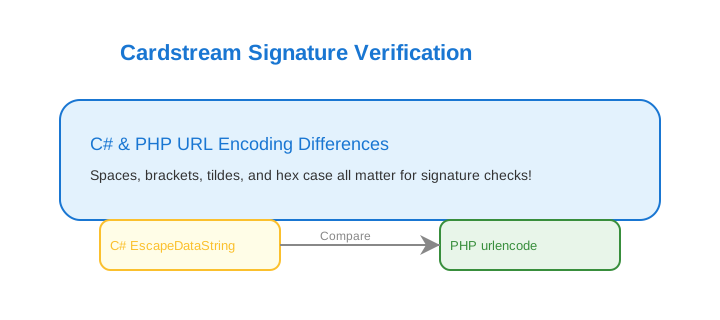
I used Uri.EscapeDataString. Cardstream uses PHP’s urlencode. They’re not the same.
| Character | PHP urlencode | C# EscapeDataString |
|---|---|---|
| Space | + | %20 |
| [ | %5B | left as [ |
| ] | %5D | left as ] |
| ~ | %7E | left as ~ |
| Hex Letters (e.g. *, £) | %2A, %C2%A3 (uppercase) | %2a, %c2%a3 (lowercase) |
There are two things wrong at once. First, C# leaves [, ], and ~ unencoded while PHP encodes them. Second, when C# does percent-encode something, it uses lowercase hex letters (%2a), but PHP always uses uppercase (%2A). Cardstream’s signature is built using PHP’s output, so you need to match both of those exactly.
The [ and ] difference broke the bracket-notation keys. Something like threeDSOptions[challengeWindowSize] was supposed to become threeDSOptions%5BchallengeWindowSize%5D but C# left the brackets as-is.
I wrote a method that matches PHP’s behaviour:
private static string EncodePhpStyle(string input)
{
    if (string.IsNullOrEmpty(input)) return string.Empty;
    var result = Uri.EscapeDataString(input);
    result = Regex.Replace(result, "%[0-9a-f]{2}", m => m.Value.ToUpper());
    result = result.Replace("%20", "+");
    result = result.Replace("~", "%7E");
    result = result.Replace("[", "%5B");
    result = result.Replace("]", "%5D");
    return result;
}
Mistake 4: I verified on the wrong endpoint
I was checking the signature when the browser redirected back to my site (/CardstreamReturn). It can work, but it’s risky. If the user closes the tab or loses their connection before the redirect finishes, your server never gets the data. The payment went through but you’d have no record of it.
The safer place to verify is the callback endpoint, which is a direct server-to-server POST from Cardstream to your server. The user’s browser is not involved at all, so it can’t be interrupted. The Return URL is just for showing the user a “payment done” page.
Mistake 5: I read request.Form before reading the raw body
ASP.NET reads and parses the request body when you access request.Form. After that, request.Body is empty and there’s nothing left to read.
My raw body read was returning nothing because something upstream had already touched request.Form.
The fix: read the raw body directly and never touch request.Form in the payload code.
var isPost = request.HasFormContentType &&
             request.Method.Equals("POST", StringComparison.OrdinalIgnoreCase);
Also: call request.EnableBuffering() in your middleware and reset request.Body.Position = 0 after reading, so other code can still read it.
The full working code
GatewayCallbackData
public class GatewayCallbackData
{
    public Dictionary<string, string> AllFields { get; set; }
    public List<(string Key, string Value)> FieldsInOrder { get; set; }
    public string RawEncodedString { get; set; }
    public string ReceivedHash { get; set; }
    public string HashFieldName { get; set; }
}
ParseGatewayCallbackAsync
public async Task<GatewayCallbackData> ParseGatewayCallbackAsync(HttpRequest request)
{
    string bodyText;
    var isPost = request.HasFormContentType &&
                 request.Method.Equals("POST", StringComparison.OrdinalIgnoreCase);

    if (isPost)
    {
        request.EnableBuffering();
        request.Body.Position = 0;
        using var reader = new StreamReader(request.Body, Encoding.UTF8, leaveOpen: true);
        bodyText = await reader.ReadToEndAsync();
        request.Body.Position = 0;
    }
    else
    {
        bodyText = string.Join("&", request.Query.Select(q => $"{q.Key}={q.Value}"));
    }

    var parsedPairs = bodyText.Split('&')
        .Select(p => {
            var idx = p.IndexOf('=');
            if (idx == -1) return (Key: string.Empty, RawValue: string.Empty);
            return (Key: Uri.UnescapeDataString(p[..idx].Replace("+", " ")), RawValue: p[(idx + 1)..]);
        })
        .Where(p => !string.IsNullOrEmpty(p.Key))
        .ToList();

    var hashField = parsedPairs.FirstOrDefault(p =>
        p.Key.Equals("signature", StringComparison.OrdinalIgnoreCase));
    var receivedHash = hashField.Key?.Length > 0
        ? Uri.UnescapeDataString((hashField.RawValue ?? string.Empty).Replace("+", " "))
        : string.Empty;
    var hashFieldName = hashField.Key?.Length > 0 ? hashField.Key : "signature";

    var dataFields = parsedPairs
        .Where(p => !p.Key.Equals("signature", StringComparison.OrdinalIgnoreCase))
        .Where(p => !string.IsNullOrWhiteSpace(p.Key))
        .ToList();

    var fieldMap = dataFields.ToDictionary(
        p => p.Key!,
        p => Uri.UnescapeDataString((p.RawValue ?? string.Empty).Replace("+", " ")),
        StringComparer.Ordinal);

    var fieldList = dataFields
        .Select(p => (
            Key: p.Key,
            Value: Uri.UnescapeDataString((p.RawValue ?? string.Empty).Replace("+", " "))
        ))
        .ToList();

    var encodedFieldString = string.Join("&", dataFields.Select(p => $"{p.Key}={p.RawValue}"));

    return new GatewayCallbackData
    {
        AllFields = fieldMap,
        FieldsInOrder = fieldList,
        ReceivedHash = receivedHash,
        HashFieldName = hashFieldName,
        RawEncodedString = encodedFieldString
    };
}
IsSignatureValid
public bool IsSignatureValid(GatewayCallbackData data)
{
    var config = LoadGatewayConfig();

    var sortedFields = data.FieldsInOrder
        .OrderBy(f => f.Key.Contains('[')
            ? f.Key[..f.Key.IndexOf('[')]
            : f.Key, StringComparer.Ordinal)
        .ToList();

    var encodedParts = sortedFields.Select(f => $"{EncodePhpStyle(f.Key)}={EncodePhpStyle(f.Value)}");
    var signingInput = string.Join("&", encodedParts);

    signingInput = signingInput
        .Replace("%0D%0A", "%0A")
        .Replace("%0A%0D", "%0A")
        .Replace("%0D", "%0A");

    var hashInput = signingInput + config.SharedSecret;

    using var sha = SHA512.Create();
    var expectedHash = BitConverter.ToString(
        sha.ComputeHash(Encoding.UTF8.GetBytes(hashInput)))
        .Replace("-", "")
        .ToLowerInvariant();

    return expectedHash == data.ReceivedHash.ToLowerInvariant();
}

private static string EncodePhpStyle(string input)
{
    if (string.IsNullOrEmpty(input)) return string.Empty;
    var result = Uri.EscapeDataString(input);
    result = Regex.Replace(result, "%[0-9a-f]{2}", m => m.Value.ToUpper());
    result = result.Replace("%20", "+");
    result = result.Replace("~", "%7E");
    result = result.Replace("[", "%5B");
    result = result.Replace("]", "%5D");
    return result;
}
How to debug when the hash still doesn’t match
Cardstream has a sig test tool at https://gateway.cardstream.com/devtools/sigtest.php?key=YOUR_SECRET. You post your raw callback body to it and it walks you through exactly what string it’s hashing. Really useful.
You can do that from your browser console:
const callbackBody = '...your raw callback body...';
const form = document.createElement('form');
form.method = 'POST';
form.action = 'https://gateway.cardstream.com/devtools/sigtest.php?key=YOUR_SECRET';
form.target = '_blank';
callbackBody.split('&').forEach(pair => {
    const idx = pair.indexOf('=');
    const key = decodeURIComponent(pair.slice(0, idx).replace(/\+/g, ' '));
    const value = idx === pair.length - 1
        ? ''
        : decodeURIComponent(pair.slice(idx + 1).replace(/\+/g, ' '));
    const input = document.createElement('input');
    input.type = 'hidden';
    input.name = key;
    input.value = value;
    form.appendChild(input);
});
document.body.appendChild(form);
form.submit();
document.body.removeChild(form);
One thing to watch: if a field arrives as threeDSDetails[eci]= with nothing after the =, the form still needs to submit it as an empty string. Don’t skip it.
Also: log hashInput while you’re debugging and compare it character by character to the sig tool output. Just remember to remove that log before going to production, because it has your secret key in it.
Things that actually matter
- Include everything in the signature, the only thing you remove is
signatureitself - Sort by root key only and don’t rearrange sub-fields
- Use PHP-style URL encoding where
[becomes%5Band spaces become+ - Verify on the callback, not the browser return URL
- Read the raw body and don’t let
request.Formtouch it first - Empty fields still count,
threeDSDetails[eci]=is included as-is
Hope this saves someone a few hours of confusion.