
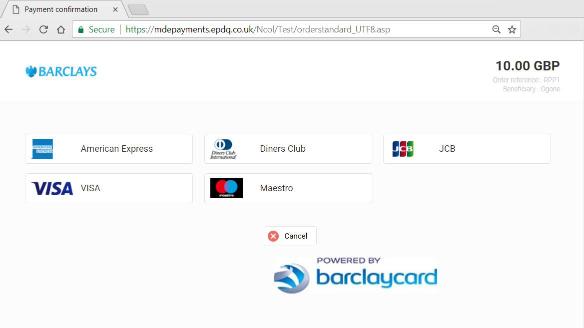
In today’s world of e-commerce, ensuring secure and seamless payment integration is crucial for any website. This post walks through the process of integrating the Barclaycard payment gateway using a test account, based on sample code available in my GitHub repository.
What Is Barclaycard Payment Gateway?
Barclaycard is a payment gateway that allows merchants to accept online payments securely. It supports multiple payment methods such as Visa, MasterCard, and American Express, and offers robust security with encryption and hashing methods.
Setting Up a Barclaycard Test Account
Before diving into the code, set up a test account first.
1. Create a Barclay Merchant Test Account
Go to the Barclay/ePDQ test account page and sign up for a test account: Create Test Account. After account creation:
- Activate the account by accepting the terms and conditions.
- Navigate to the configuration section of your account.
2. Configure Global Security Parameters
Under Technical Information, go to Global Security Parameters and select the SHA-256 hash algorithm.
3. Data and Origin Verification
- Set a SHA-IN passphrase and keep it secure.
- In your application, configure this value in:
GatewayConfigurations.GatewaySHAInSecretKey
4. Transaction Feedback
- Enable transaction feedback parameters on redirection URLs.
- Set your SHA-OUT passphrase and store it in your app:
GatewayConfigurations.GatewaySHAOutSecretKey
5. Activate Payment Methods
- Add required payment brands such as Visa, MasterCard, or American Express.
- Ensure the payment methods are active.
6. Set Your PSPID
Configure your PSPID in the app:
GatewayConfigurations.GatewayPSPID
Code Explanation
The sample code demonstrates secure integration using the following steps:
Alphabetically Ordering Data
Sort outgoing data alphabetically before sending it to the gateway to ensure hash consistency.
SHA-256 Encryption
Convert outgoing data to SHA-256 format so sensitive values are protected before submission.
Submitting Data
After formatting and hashing, submit the data to the payment gateway for processing.
Receiving Transaction Feedback
When the transaction completes, receive feedback data and validate it using the SHA-OUT passphrase. This confirms authenticity and helps prevent fraud.
Key Benefits of Using Barclay Payment Gateway
- Security: SHA-256 hashing and passphrase validation protect the payment flow.
- Multiple payment methods: Supports major cards and payment options.
- Transaction feedback: Lets you track status and validate transaction integrity.
Conclusion
By following these steps and using the sample code, you can integrate Barclay payment gateway into your site for secure and seamless payment processing. For a full demonstration and source code, check out the repository on GitHub: BarclayGatewaySample.